

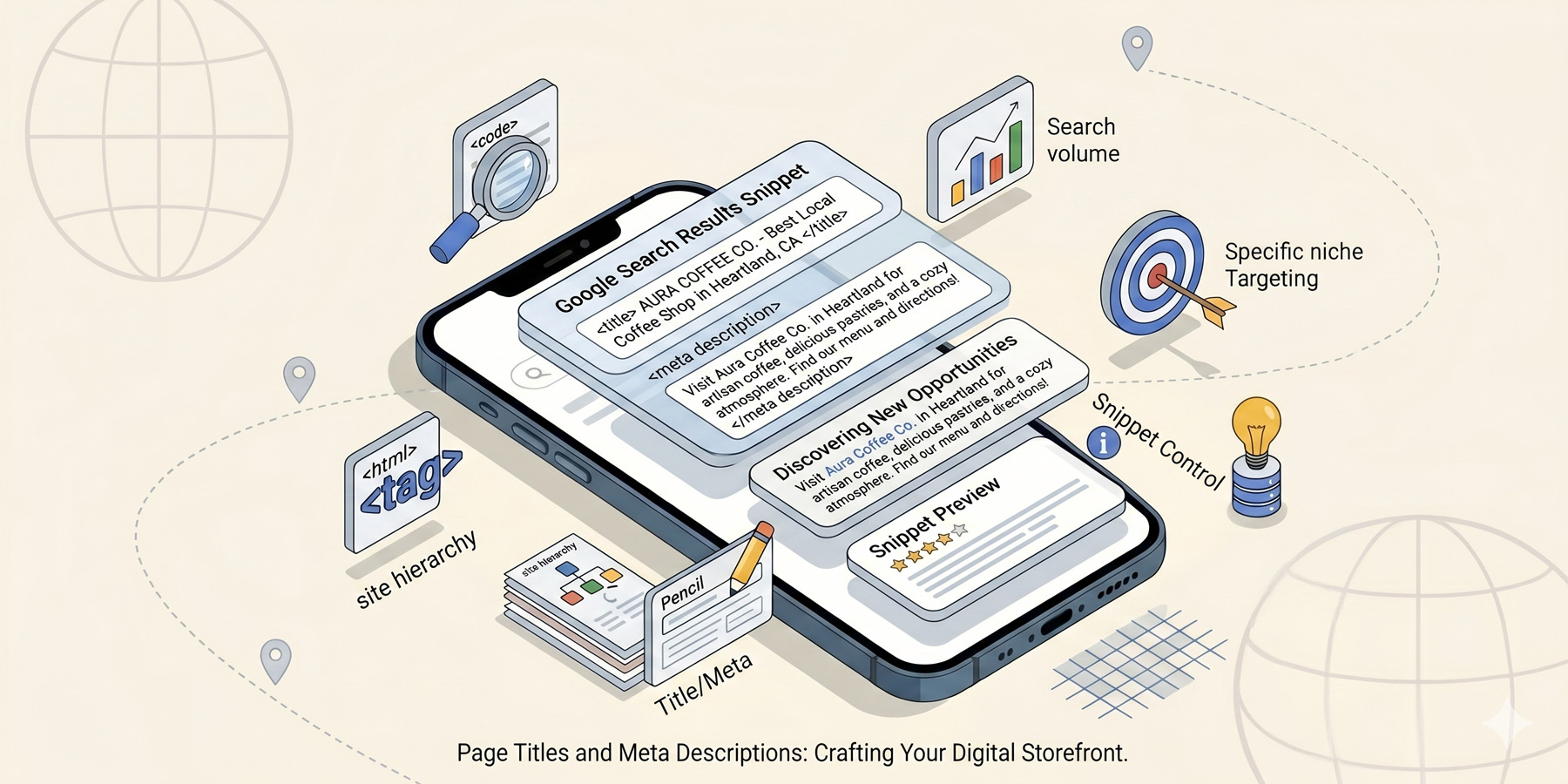
The single fastest SEO win available to most small businesses is fixing their page titles and meta descriptions. It’s a thirty-minute job per website and it can lift your click-through rate from search results by 20% or more, before any ranking work.
Almost nobody does it.
Here is what page titles and meta descriptions are, why they matter so much, and exactly how to write them properly.
The difference between page titles and meta descriptions
Both of these appear in your Google search results, but they’re different things:
- The page title is the blue clickable headline at the top of each search result. It’s also what shows up in your browser tab.
- The meta description is the grey paragraph of text directly below the title, summarising what’s on the page.
Together, they’re the equivalent of your shopfront in a strip mall: the sign and the window display. They decide whether anyone walks in.
What Google does with each
Page titles are a ranking factor. Google reads them to understand what your page is about and ranks you accordingly. Meta descriptions are not a direct ranking factor anymore, but they massively affect click-through rate, which is itself a ranking signal. A page with a high CTR climbs over time.
Bottom line: both matter. Both need attention. Both are something you control directly.
The character limit thing
You’ll see strict character limits quoted all over the internet (60 characters for titles, 160 for descriptions). They’re not wrong, but they’re not absolute either. Google now uses pixel widths, not character counts, and it can also rewrite either of them at will if it thinks it knows better than you.
Practical guidance:
- Titles: aim for 50 to 60 characters. Longer ones get truncated with an ellipsis.
- Meta descriptions: aim for 120 to 155 characters. Same truncation risk if longer.
If you can’t fit your message in the limit, your message is too long for a search result anyway. Shorter is usually better.
What makes a great page title
The formula that works for most small business pages:
[Primary keyword] \| [Useful descriptor] \| [Brand name]
Examples:
- “WordPress Web Design Johannesburg \| Affordable Custom Sites \| tiger&type”
- “Emergency Plumber Bryanston \| 24/7 Same-Day Service \| Bob’s Plumbing”
- “Wedding Photographer Cape Town \| Editorial & Documentary Style \| Anna Smith Photo”
The primary keyword goes first because Google weights it most heavily there. The descriptor sells the click. The brand name builds recognition over time.
A few rules:
- Every page needs a unique title. No two pages on your site should share one.
- Use real words, not keyword salad. “Plumber Plumbing Bryanston Plumber Sandton” reads as spam to both Google and humans.
- Avoid generic titles like “Home”, “About Us”, or “Services”. They tell nobody anything.
What makes a great meta description
This is where you sell the click. The meta description has one job: convince someone scanning ten search results that yours is the one to click.
What works:
- Lead with the value or the answer. Not the company name.
- Include the primary keyword naturally (Google bolds it in search results, which catches the eye).
- Include a clear hook (specific outcome, USP, social proof).
- End with a soft call to action (“see our packages”, “get a quote”, “read more”).
Example. Page: a Johannesburg web design service page.
Bad: “Welcome to our web design company in Johannesburg. We offer many services to clients across South Africa.”
Better: “WordPress web design from R6,500 for Johannesburg small businesses. Fast, mobile-ready, built to rank from day one. See our packages.”
Same page, very different click-through rate.
Common mistakes
- Duplicate titles. Every page is “Bob’s Plumbing – Welcome”. Google can’t tell them apart.
- Keyword stuffing. Trying to cram every variation of your keyword into the title. It looks spammy and underperforms.
- Generic descriptions. “We are a leading provider of\…” Nobody clicks generic.
- Leaving meta descriptions blank. Google generates one automatically, usually badly. Write your own.
- Forgetting product/service pages. Homepages get attention; deep pages don’t. Every page that can rank needs its own optimisation.
Should you let Google rewrite them?
Google has been rewriting titles and meta descriptions more aggressively in recent years, especially when it thinks yours doesn’t match the page content or the query. You can’t stop this, but you can minimise it by writing titles and descriptions that genuinely reflect what’s on the page.
If Google keeps rewriting yours, that’s a signal: your title or description is misaligned with the content. Fix the content or fix the title.
Quick examples by page type
Homepage:
- Title: “WordPress Web Design Johannesburg \| Small Business SEO \| tiger&type”
- Description: “Johannesburg digital studio building WordPress websites, SEO, and brand design for South African small businesses. From R6,500. See our work.”
Service page:
- Title: “Email Marketing Service Johannesburg \| Newsletters & Automations \| tiger&type”
- Description: “Email marketing done for you. Welcome sequences, monthly newsletters, and automation for SA small businesses. From R2,300/month. See packages.”
Blog post:
- Title: “POPIA and Email Marketing in South Africa: A Plain-English Guide”
- Description: “POPIA email marketing in plain English. What South African businesses can and can’t do, what counts as consent, and how to stay compliant without losing your list.”
Where to edit these in WordPress
If you use Yoast SEO or Rank Math, both plugins add a panel at the bottom of every page and post editor where you set the SEO title and meta description for that specific page. Without one of these plugins, you’re stuck with WordPress’s defaults, which are generic. Install Yoast (free version is fine for most small businesses) and you can edit every page and post in minutes.
Read next
Page titles work best when they target keywords you’ve actually researched. See our guide to keyword research. And for the broader picture of how all the on-page basics fit together, the SEO pillar guide is the place.
Need a hand?
If you’d like a full on-page audit (every title, every description, every heading, properly aligned to keywords) it’s part of how we work. Have a look at our SEO services, or get in touch.